The usage quota dashboard provides a quick overview of any home storage or compute usage and quotas applied to a user.
Where to find the dashboard
From the JupyterHub homepage (e.g. https://<your-jupyterhub-domain>/hub/home), click the Usage menu item in the top navbar.
Dashboard layout
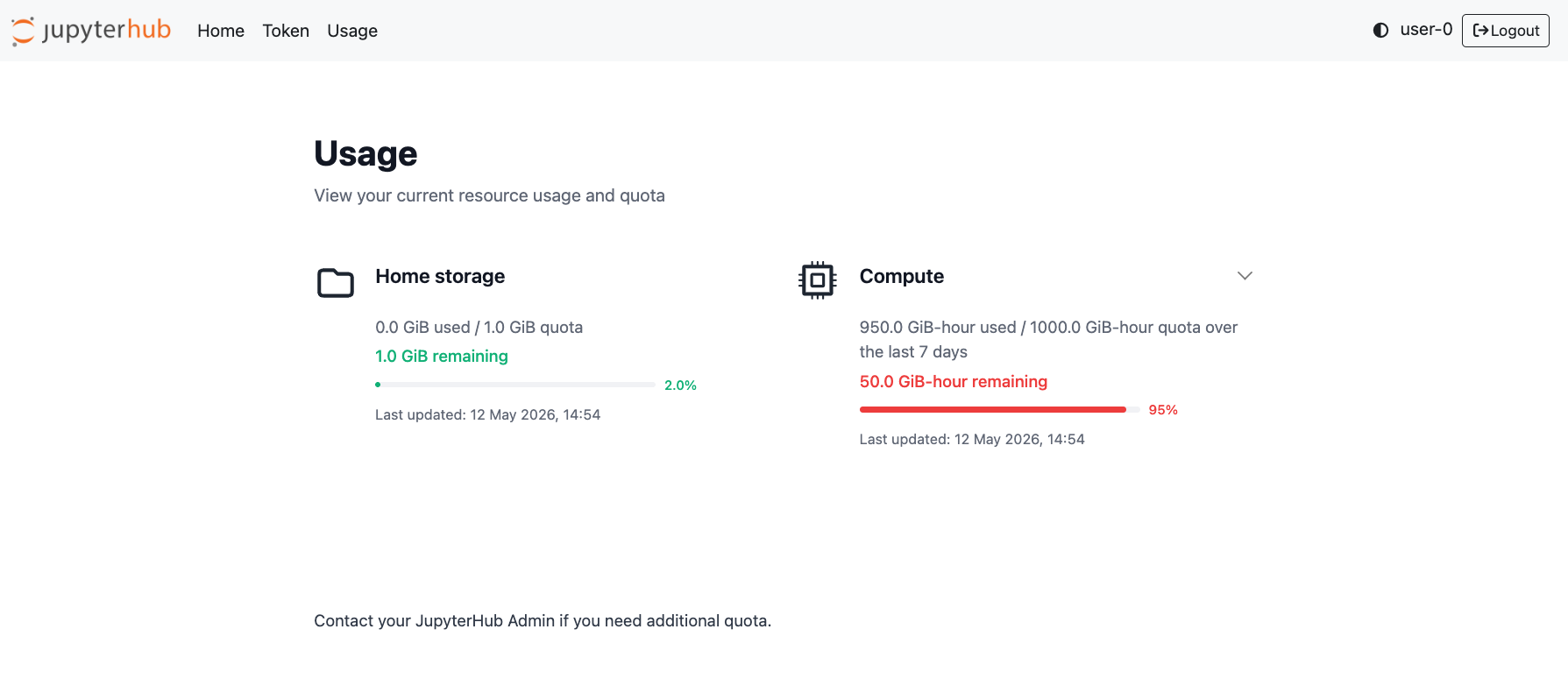
The dashboard is divided into two main sections:
Home storage: this pulls data from jupyterhub-home-nfs
Compute: this pulls data from jupyterhub
-usage -quotas
Either of these components may or may not be enabled for your hub – contact your JupyterHub admin in the first instance if you are not sure.
Home storage
This component displays your current home storage usage and quota limit in gibibytes. The amount remaining and percentage used progress bar are highlighted in green when usage is below 90% and red when usage is above 90%.
When you have run out of home storage, you may be unable to launch your server session the next time. If this happens, contact your JupyterHub admin for help with deleting stale data.
Compute
This component displays your current compute usage and quota limit in GiB-hours. The amount remaining and percentage used progress bar are highlighted in green when usage is below 90% and red when usage is above 90%.
You may have multiple compute quota policies applied to your account. Click the dropdown icon to expand the view to see all of your usage and quota.
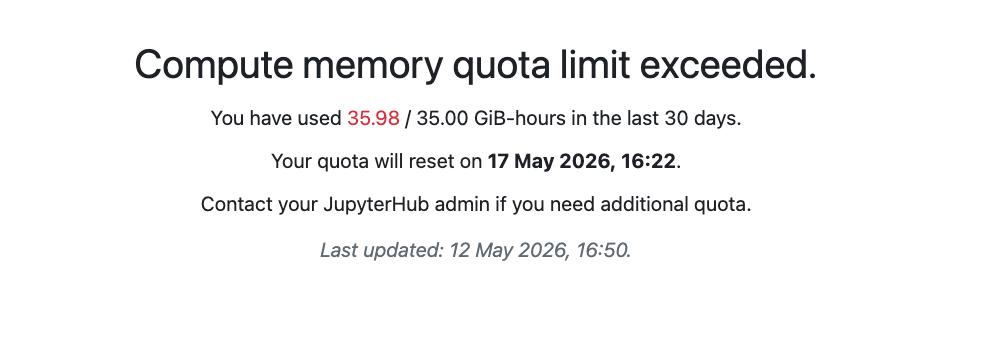
When you have run out of compute quota, your server launch will be denied the next time you try. The compute quota system operates on a rolling window, so your usage expires at a continual rate (rather than a hard reset e.g. at the beginning of the month). A retry time will be displayed when you try to launch a server showing you when compute quota is available to you again. If you require more compute quota, contact your JupyterHub admin for help.
Limitations
The datasources for the information on this dashboard update at set time intervals, so there may be a delay between your actual usage and quota limits and the information displayed.
Sometimes there may be a network issue with connecting to the datasources – if this issue persists, contact your JupyterHub admin.